 LLM Browsera browser with a built-in AI assistant
LLM Browser
A web browser that works just like the one you use today, with a helpful AI assistant built right in. Browse normally, then when you want a hand, ask it to navigate pages, click, fill out forms, read what is on screen, and take care of web chores while you watch it work.

A real browser that can do the clicking for you.
Everything looks and feels like the browser you already know. The difference is the assistant tucked inside it that can take over the typing, clicking, and reading whenever you ask, while you stay in control and watch it happen.
You and your assistant
Watch the assistant work, right in your browser.
The chat sits in the same window as the page, so you can see exactly what the assistant is doing as it does it. Nothing happens off in some hidden tab you cannot follow.
It is still your browser
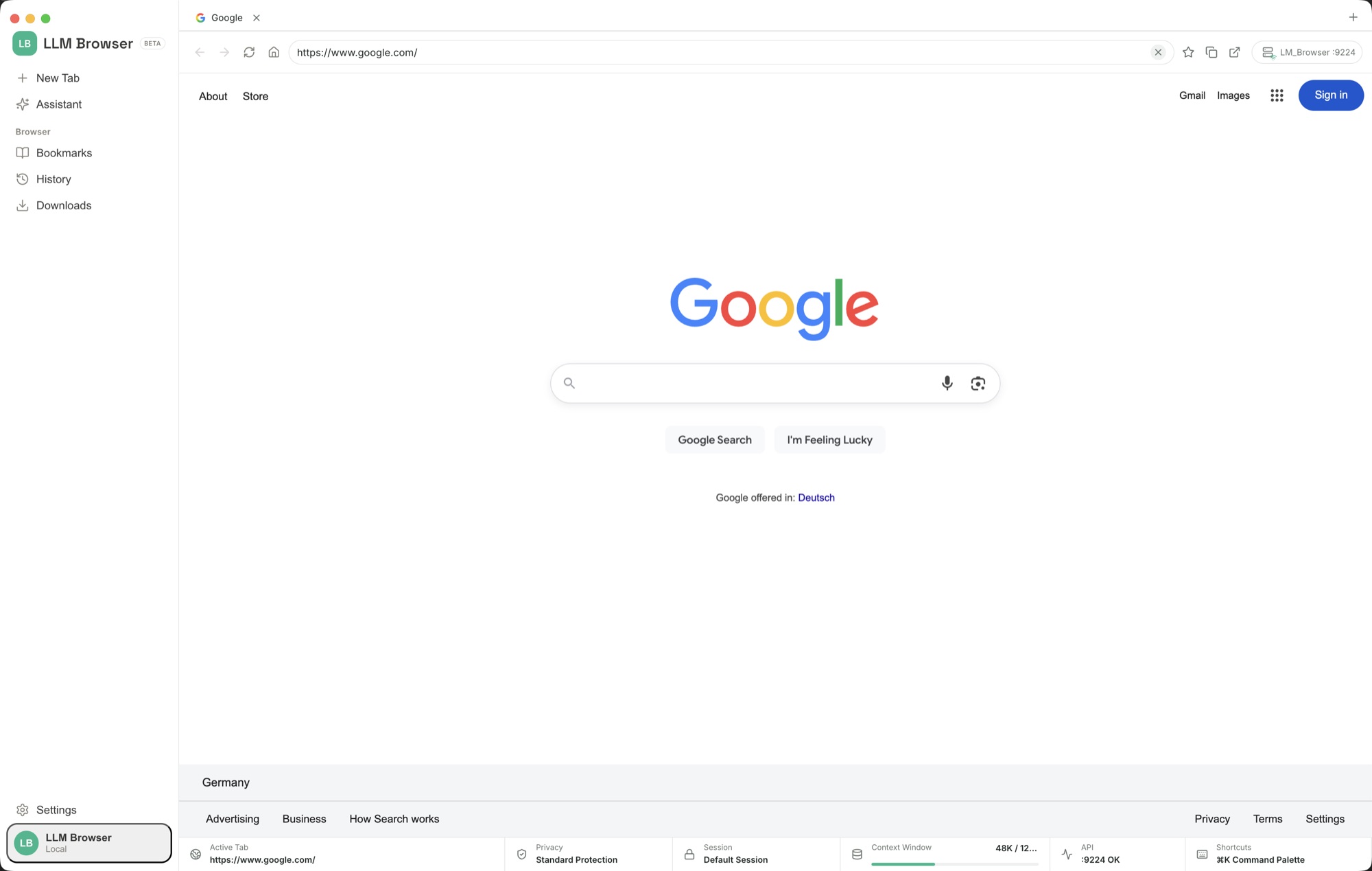
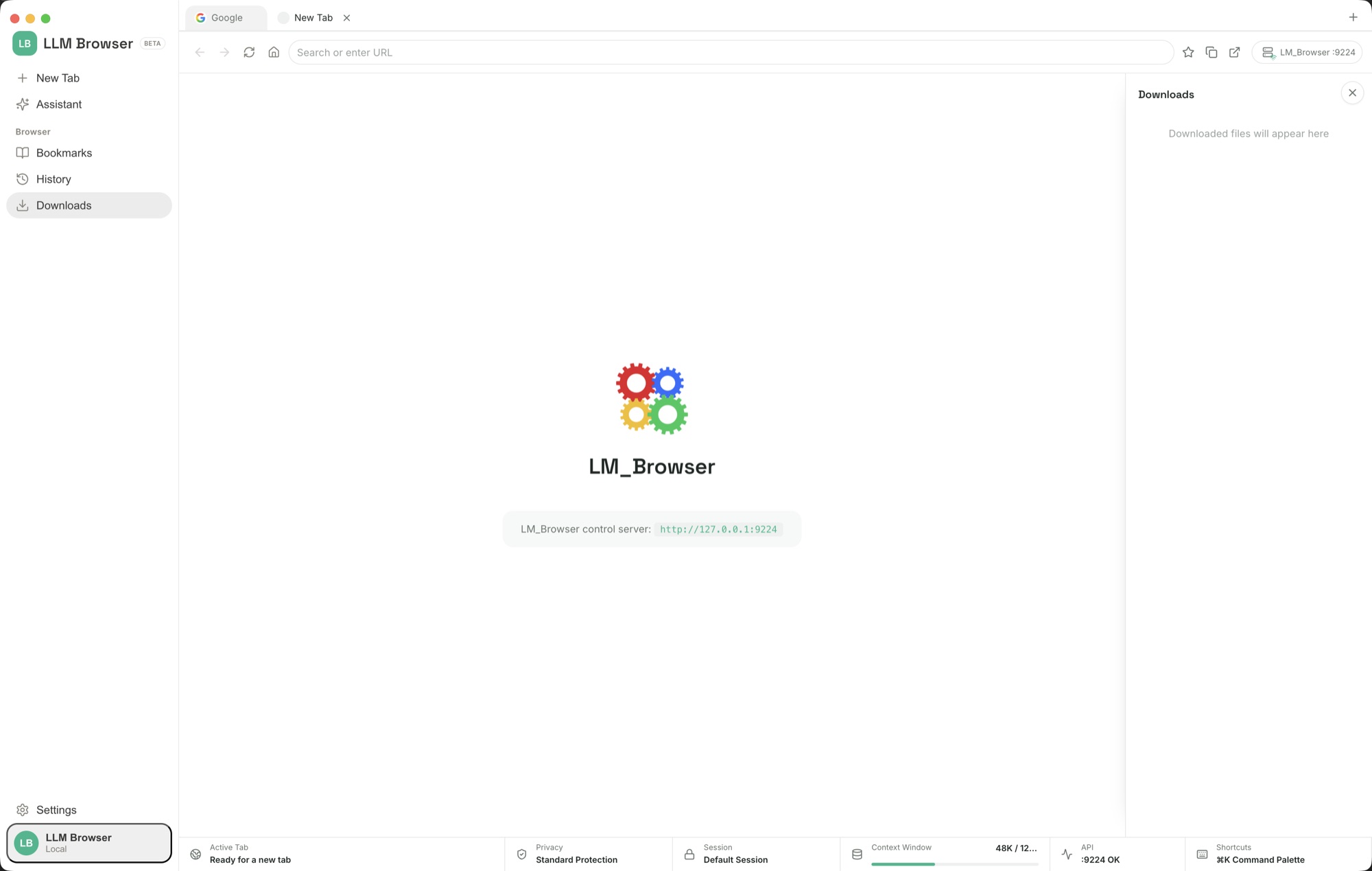
Tabs, the address bar, bookmarks, history, downloads, settings, and light or dark themes all work just like the browser you use every day.
Ask it to do the busywork
The assistant can open pages, click buttons and links, fill out forms, read what is on screen, scroll, and move between tabs, all on your say-so.
You are always in the loop
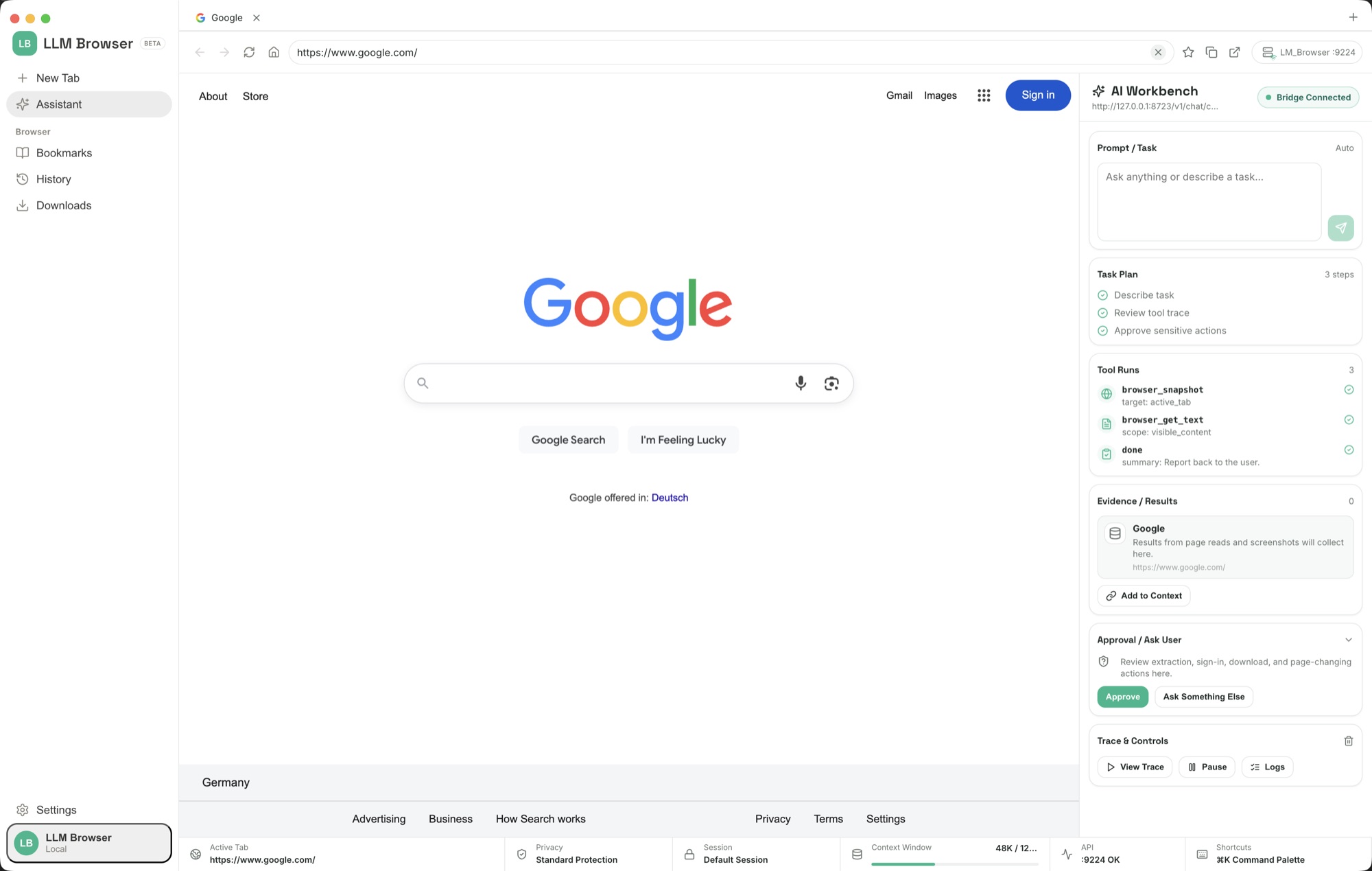
You see every question you ask and every answer it gives, right next to the page, in the docked bridge panel along the bottom of the window.
How to set it up and use it
Install, connect an AI, and ask in plain words.
LLM Browser behaves like a normal browser out of the box. The one extra step is telling it which AI to use. Here is the whole setup, start to finish.
Install and browse
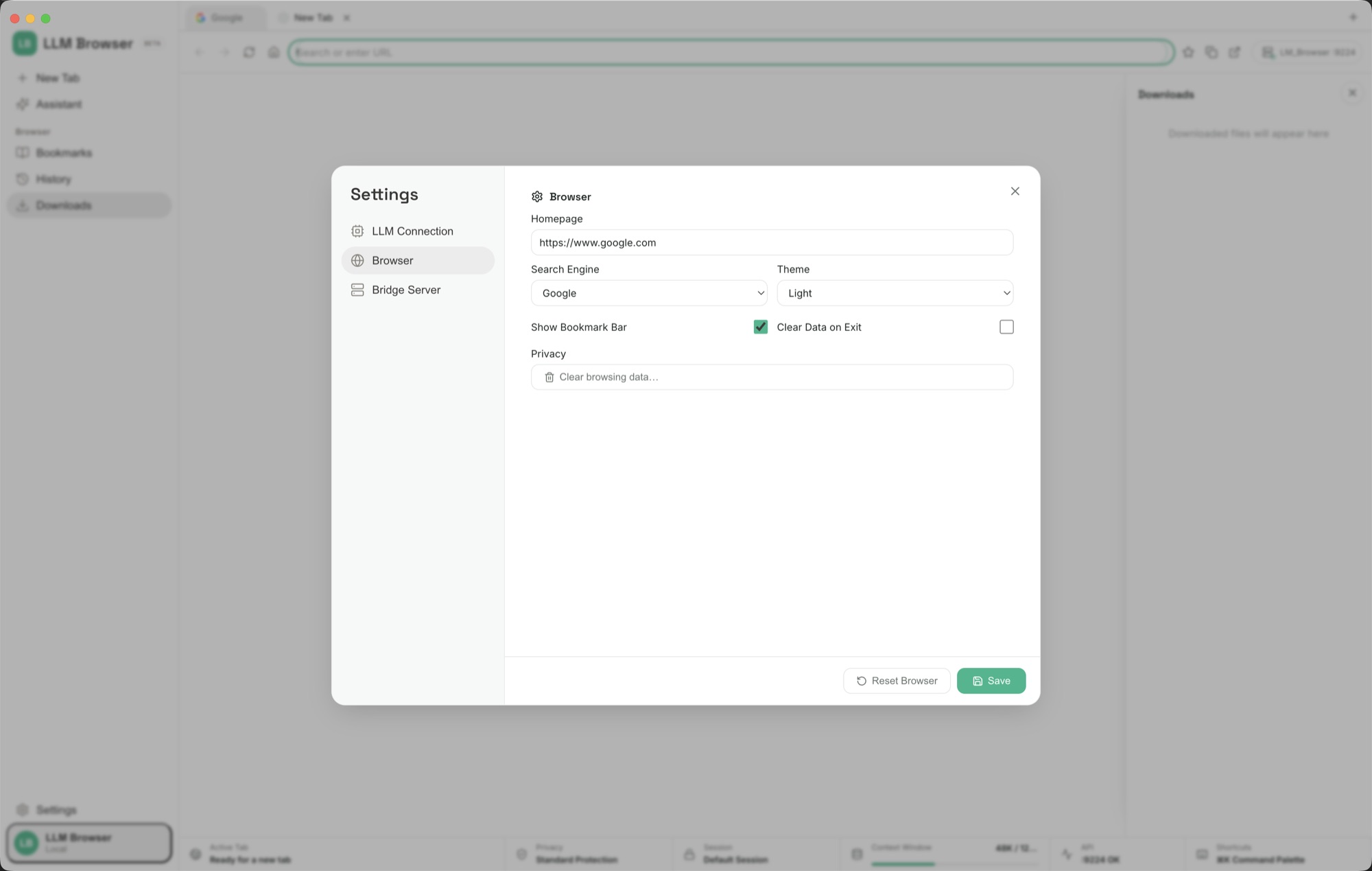
Install LLM Browser like any desktop browser and start using it right away: open tabs, search, sign in to sites, and set your homepage and theme in Settings → Browser.
Open LLM Connection
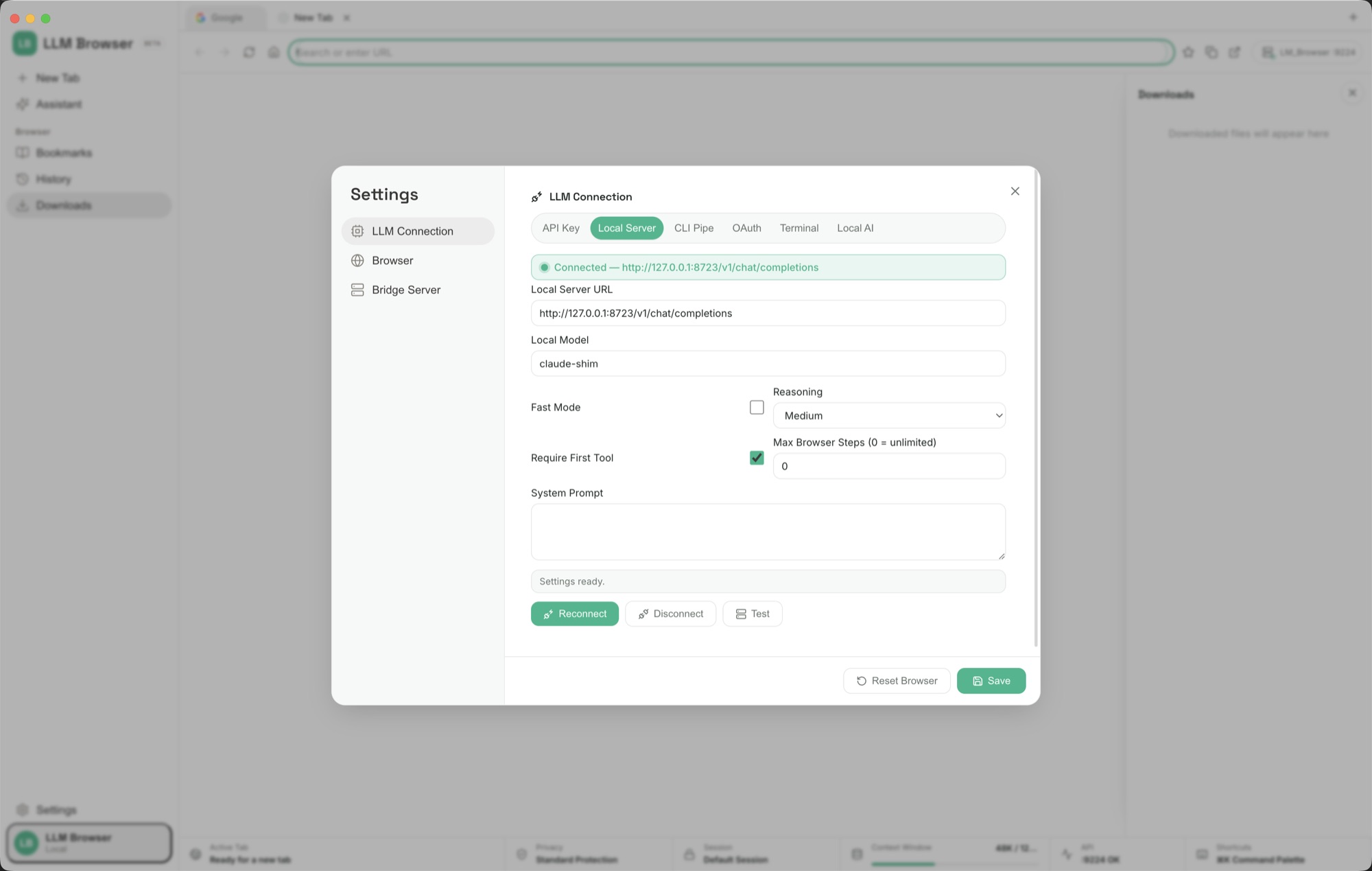
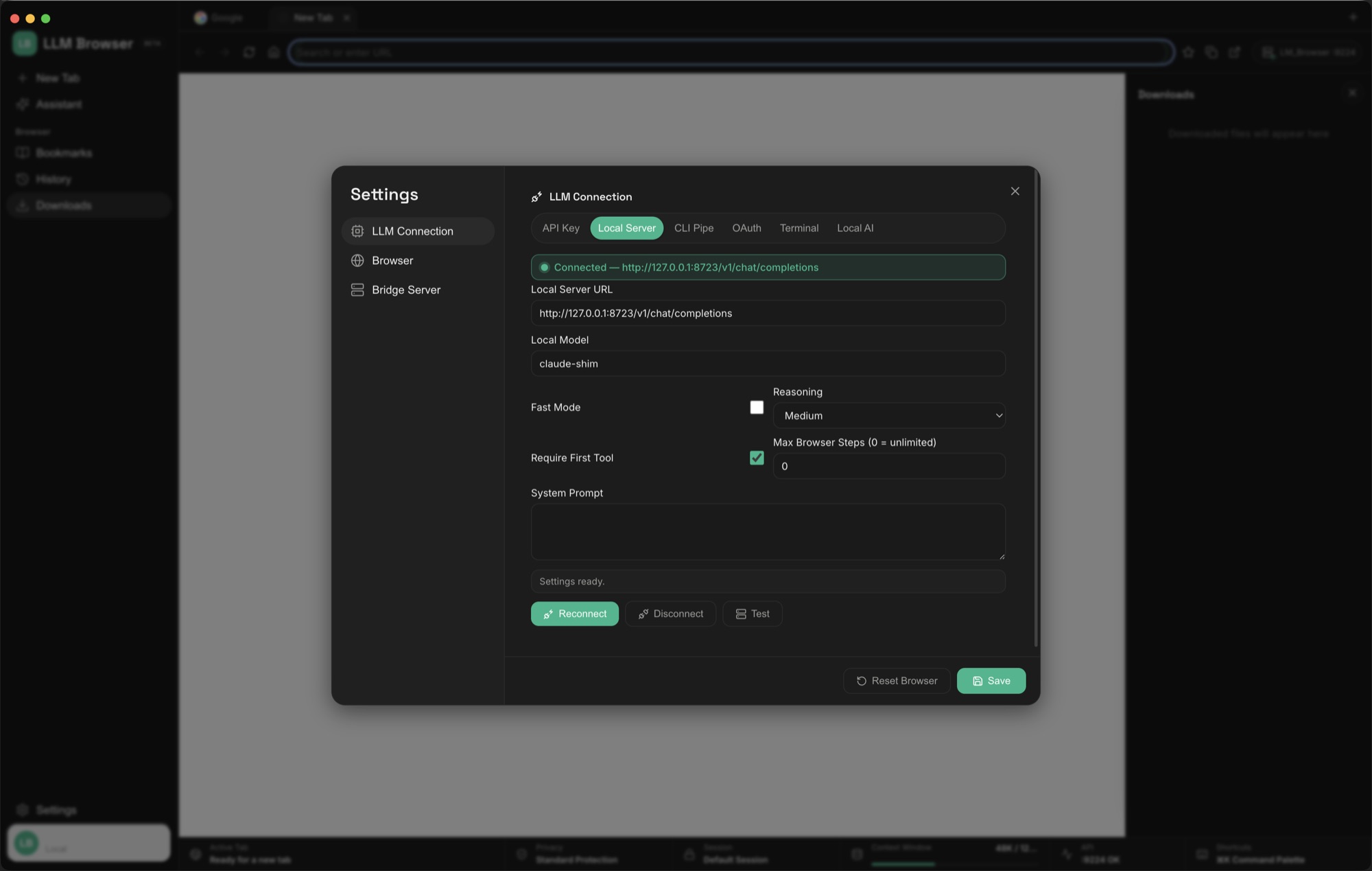
Go to Settings → LLM Connection. This is where you choose which model powers the assistant. Pick one of six tabs, fill it in, and press Test. A green Connected banner confirms it.
Pick cloud or private
Use a cloud provider with an API key or OAuth sign-in, or keep everything on your machine with a Local Server (Ollama, LM Studio) or a built-in Local AI model file. Power users can use a CLI Pipe or Terminal command.
Ask the bridge panel
Type a request into the bridge panel at the bottom, like “find software developer jobs in LA” or “clear the spam in this inbox.” The assistant reads the page, navigates, clicks, and fills forms, and reports back as it goes.
Tune how it works
Each connection has a reasoning level, a system prompt, and a step limit, so you can keep a small local model fast and focused, or let a larger model take on longer multi-step tasks.
Open it up to your tools
Optionally turn on the Bridge Server so your own scripts and agents can drive the browser over a local API. More on that below.
What it can do once an AI is connected.
With a model wired up, the assistant becomes a hands-on co-pilot that works the live page in front of it, not a chatbot in a separate tab.
Navigate and act
Open pages, click links and buttons, fill and submit forms, scroll, and switch tabs, all on the real sites you are already signed in to.
Read and summarise
Pull out what matters on a page, triage an inbox, compare results, or answer a question grounded in what is actually on screen.
Run real chores
Search a job board and surface roles, clear spam, fill a repetitive form, or gather details across several pages, while you watch and can step in.
Workflow playbooks
Six LLM Browser workflows you can copy.
These plain-language examples teach the safest pattern: give the assistant a visible page, a clear outcome, and a stopping point before anything important is submitted, sent, bought, deleted, or changed.
Research a buying decision
Open a search page and ask: "Open the official pages for three products that match these requirements. Collect price, platform support, privacy notes, refund terms, and the strongest limitation you can find. Use only pages you open. Make a table with source links. Do not sign up or buy anything."
Extract data from a messy page
On a results page, directory, documentation page, or dashboard, ask: "Find the visible table or list about this topic. Extract the rows into clean columns for name, link, date, status, and notes. If a value is missing, write not shown instead of guessing."
Prepare a form safely
Give the assistant the details to enter and say: "Fill the visible form from these details. Leave anything uncertain blank. Do not submit. When finished, list every field you filled, every field you skipped, and anything you need me to decide."
Compare job listings
Open a job board or search page and ask: "Find five roles matching this title, location or remote rule, and salary or seniority. Put them in a table with company, role, link, location, salary if shown, must-have skills, and why it fits. Do not apply yet."
Clean an inbox or dashboard safely
On an inbox, queue, or dashboard, ask: "Scan the visible items and group them into urgent, reply later, archive candidate, and ignore. Do not archive, delete, send, mark, or change anything. Give me the list first so I can approve actions."
Private local browsing session
For sensitive pages, connect Local Server or Local AI, test Ollama, LM Studio, or a GGUF model, then keep the task narrow: read this page, summarize the options, prepare a draft, and stop before any external action.
Need the full playbook manual?
Read the complete A-to-Z guide for first launch, AI connection setup, safe prompts, local models, repeatable workflows, troubleshooting, and the Bridge Server.
Read the detailed playbooksBring your own AI
Pick the AI you want to power it.
Use a big-name cloud service, or keep everything private by running the AI right on your own computer. There is a setup tab for each, and you can switch whenever you like.
API Key
Paste a key from OpenAI, Anthropic, DeepSeek, Groq, and other providers, choose the model, and you are connected.
Local Server
Point the browser at a local server such as Ollama or LM Studio so the AI runs offline, on your own machine. A green banner confirms the connection.
Local AI
Load a GGUF model file directly and run the assistant fully on-device, with a runtime and context size you choose.
OAuth
Sign in to work providers like Google Vertex, Azure, or HuggingFace through a secure standard login flow.
CLI Pipe & Terminal
Route prompts through your own command-line tool or terminal command and capture the reply, for full control over the setup.
Switch any time
Every option lives in the same LLM Connection panel, so moving between cloud and private takes a couple of clicks.
For developers
Drive the browser from your own apps.
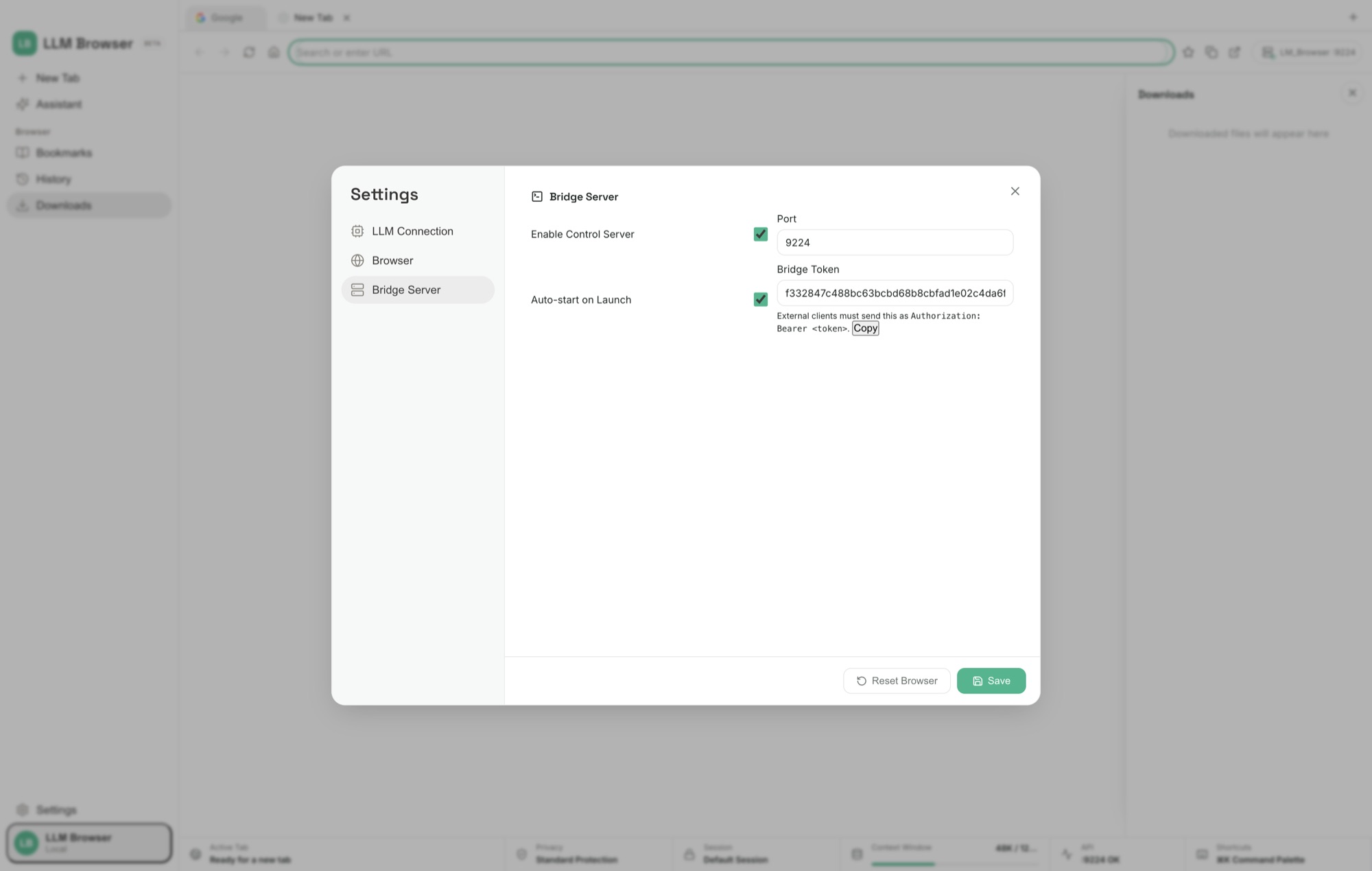
LLM Browser has a built-in control server, so it is not just for the assistant inside the window: your own scripts and AI agents can drive it too. Turn on the Bridge Server in settings, set a port (9224 by default), and copy the bridge token. External clients then speak JSON-RPC 2.0 over HTTP and WebSocket, authenticating with an Authorization: Bearer <token> header, to navigate, read page content, and take screenshots.
See it in action
A look at LLM Browser at work.
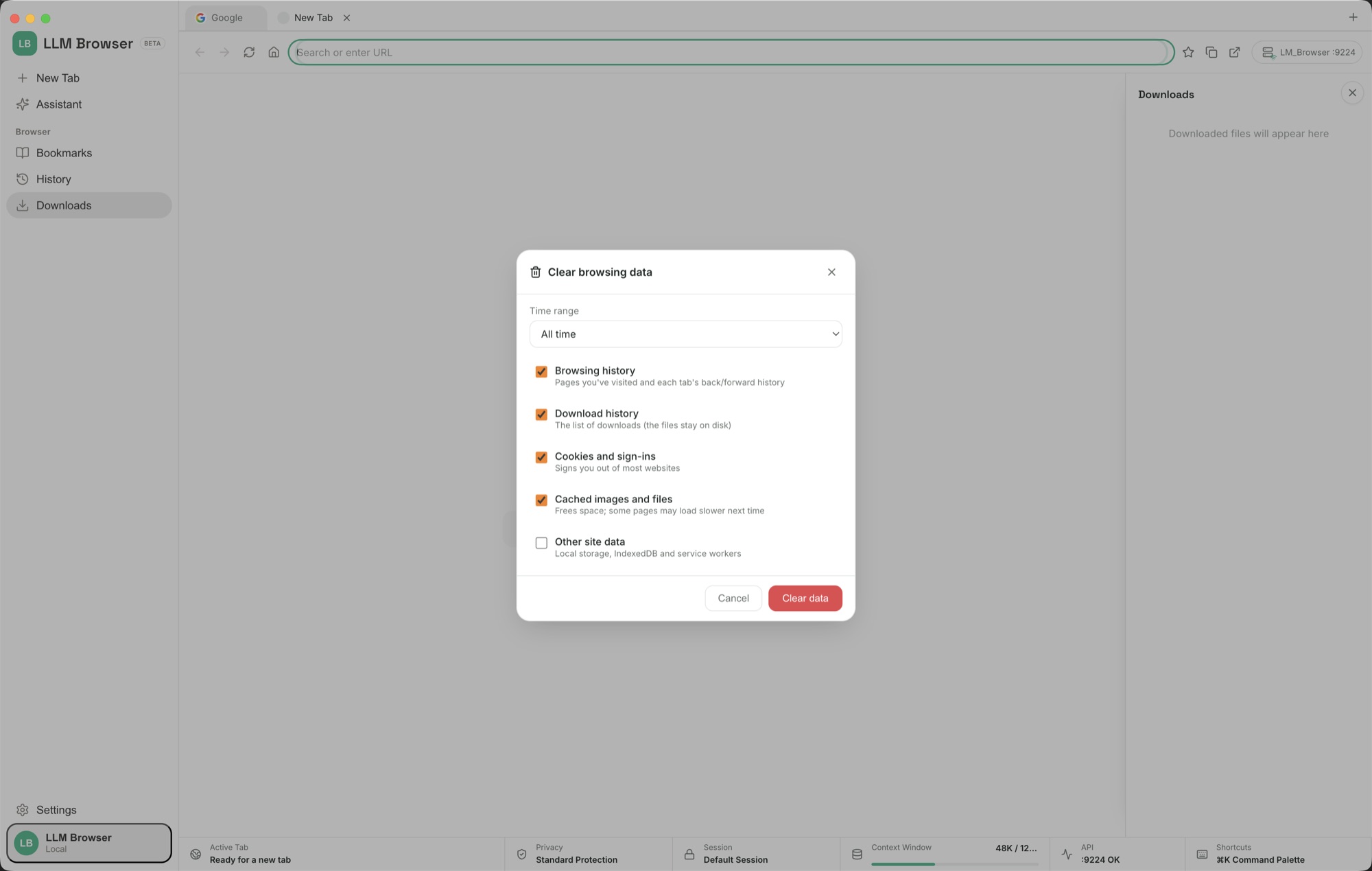
Real screenshots of the browser, the assistant bridge, and the setup screens for each way to connect an AI. Click any image to see it full size.
Questions
Frequently asked questions about LLM Browser.
What is LLM Browser?
LLM Browser is a desktop web browser with a built-in AI assistant. It works just like the browser you use today, with tabs, an address bar, bookmarks, history, and settings, plus a chat bridge panel docked in the same window. Browse normally, then ask the assistant to navigate pages, click, fill forms, scroll, switch tabs, and read what is on screen for you, while you watch it work.
How do I set LLM Browser up and connect an AI?
Install it like any browser, then open Settings and go to LLM Connection. Choose how to connect a model: an API key for a hosted provider, an OAuth sign-in, a local server such as Ollama or LM Studio, a built-in local GGUF model file, a CLI pipe, or a terminal command. A green Connected banner and a Test button confirm it works. Then type a request in the bridge panel at the bottom of the window and watch the assistant act on the page.
Can LLM Browser run with private, local AI?
Yes. You can point the browser at AI running on your own computer, such as Ollama or LM Studio, or load a local GGUF model file directly for fully offline use. When you run a local model the AI works on your own machine, so your browsing stays private and nothing has to leave your computer.
Which operating systems does LLM Browser run on?
LLM Browser is a desktop app for macOS, Windows, and Linux. It installs and runs like any other desktop browser.
Can other programs control LLM Browser?
Yes. LLM Browser has a built-in control server. Turn on the Bridge Server in settings, set a port (9224 by default), and copy the bridge token. External programs and AI agents can then drive the browser over JSON-RPC 2.0 on HTTP and WebSocket, authenticating with an Authorization: Bearer header, to automate navigation, page content, and screenshots.
Can an AI browser fill out web forms automatically?
Yes. Ask the built-in assistant in plain words and it locates the fields on the real, signed-in page, types the values, makes the dropdown and checkbox selections, and submits, from a single field to a long sign-up flow, while you watch each step in the docked bridge panel. See the guide to the AI browser that fills forms.
What is the difference between local and cloud AI in a browser?
With a cloud connection the assistant runs on a provider's servers, so page content and prompts are sent off your machine. With a local connection (Ollama, LM Studio, or a built-in GGUF model file) the model runs on your own computer, so your browsing stays private and can work offline. LLM Browser lets you switch between local and cloud from the same LLM Connection panel. See the guide to the AI browser with a local LLM.
How is a browser with a built-in AI assistant different from a browser extension?
An extension is bolted on and usually limited to a sidebar chat. The assistant in LLM Browser is part of the browser itself, so it sees and acts on the real, signed-in page in the same window, navigating, clicking, and filling forms while you watch, and you choose which AI powers it, including private models running entirely on your own computer. Read more about the browser with a built-in AI assistant, weigh up the AI browser alternatives side by side, or see how to automate web tasks with AI.
Support the project
Support the project and download LLM Browser.
Donate $10 to download one app or $20 to download two different apps, and get a real installer right away. Each download link is single-use.
LLM BrowserDonateA $10 donation downloads one app; $20 downloads two different apps from the catalog.
Get the software
Support the project and download a build.
Choose $10 to download one app or $20 to download two different apps, pick your platform, and download a real installer right after checkout. Each link is single-use and time-limited.